Product story - Understanding coding-assistant usage inside VS Code
See activity from Claude Code, Codex, and GitHub Copilot alongside optional Augment credit data, with a clear source for each number.
Designed and built by Marko Mirić.
- Product
- Augmeter
- Status
- Released · open source
- Year
- Focus
- Product design and VS Code extension development
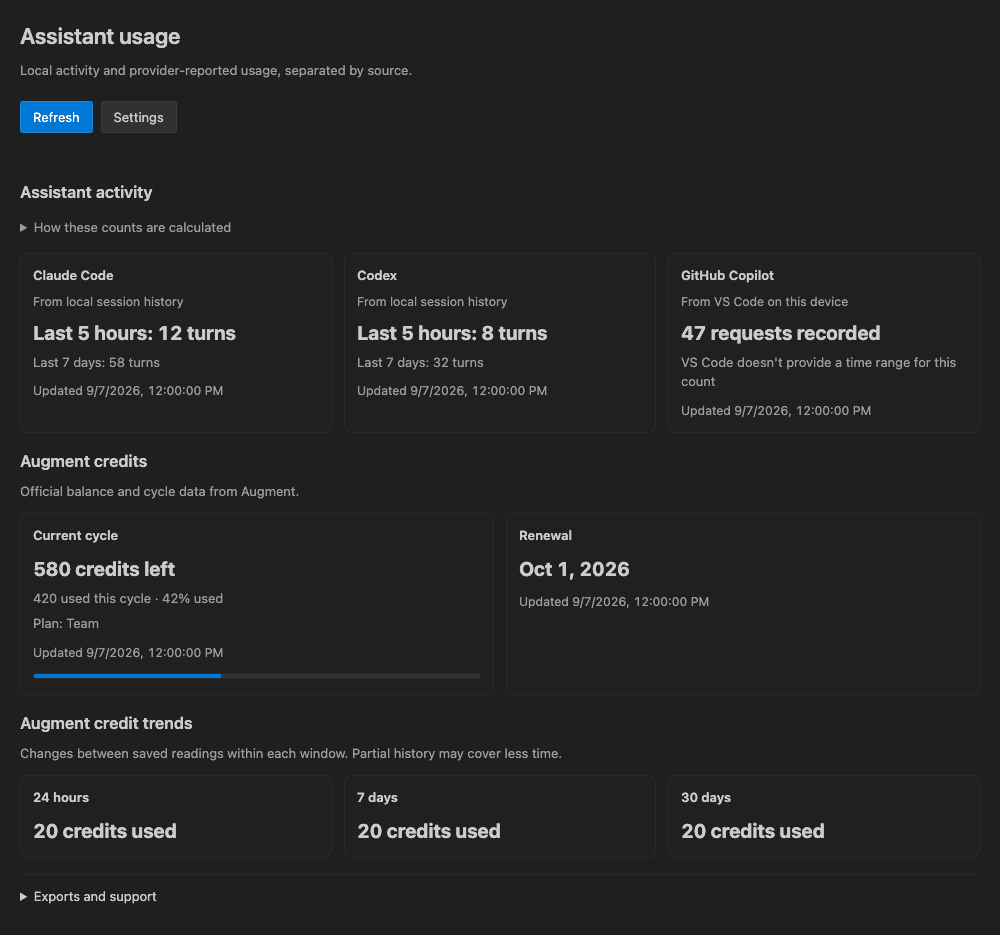
Illustrative dashboard data. No local history, provider account data, or credentials are shown.
Status: Released and open source
Install from the VS Code Marketplace · View the source
The problem
Developers using several coding assistants have no single place to see their activity. The available numbers also mean different things: a message recorded locally, a premium request reported by GitHub, or credits remaining in Augment.
I built Augmeter to bring those signals into the editor and keep their meaning clear. Local activity counts show use on that machine. They do not tell you how much of a Claude Code or Codex subscription quota remains.
One dashboard, with the source beside each number
The Assistant usage view lives inside VS Code, with an Augment summary in the status bar when connected. The dashboard shows:
- local Claude Code and Codex user turns over rolling five-hour and seven-day windows
- cumulative local Copilot requests or opt-in monthly premium requests reported by GitHub
- optional Augment balance, renewal, cycle, pace, and trend data when the connected source provides it
- clear source, freshness, and limitation labels beside each number
Freshness matters as much as the number. When a source is unavailable, the last recorded value stays visible with its status. A refresh updates the data without losing keyboard focus, scroll position, or expanded details.
Local first, with deliberate boundaries
Claude Code, Codex, and local Copilot activity stays on the developer’s machine. Local file and database reading is disabled in untrusted workspaces. If someone connects Augment with a session cookie, it is kept in VS Code secure storage and redacted from diagnostics. Augmeter does not send its own analytics or telemetry events.
The extension also exports the information it already shows. Developers can save Augment history as CSV, export a source-labeled JSON bundle, or copy redacted diagnostics when they need support.
What shipped
Augmeter is available from the VS Code Marketplace, with a downloadable VSIX on GitHub Releases and source under the MIT license. It is an independent extension, unaffiliated with the assistant providers.
The release checks cover the packaged extension on macOS, Windows, and Linux using synthetic data. Those checks exercise installation and data handling; access to optional provider data still depends on the connected account.
- Product and UX design
- VS Code extension
- TypeScript
- Local data adapters
- Workspace Trust
- Secure credential storage
- Packaged extension testing
- Cross-platform CI
Building an app or developer tool? Explore my software development services and how projects work.